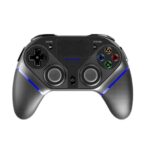
Cov Ntawv Qhia thiab Cov Lus Qhia rau Cov Neeg Siv PlayCool
PlayCool specializes in high-performance wireless gaming controllers and charging stations compatible with PlayStation, PC, Android, and iOS devices.
Txog cov phau ntawv qhia PlayCool ntawm Manuals.plus
PlayCool Gaming Accessories
PlayCool is a dedicated gaming accessory brand that focuses on delivering high-performance wireless controllers and charging solutions for gamers. Their product lineup includes the Elite Wireless Gaming Controller and Tri-Protection Charging Stations, which are designed to support a wide range of platforms such as PlayStation 4, PlayStation 5, PC, Android, and iOS devices.
Featuring ergonomic designs, Bluetooth connectivity, multi-axis gyro sensors, and built-in adjustable RGB lighting, PlayCool accessories strive to enhance the modern competitive and casual gaming experience.
Cov ntawv qhia PlayCool
Cov ntaub ntawv tshiab los ntawm manuals+ curated rau hom no.
8719992301621 PlayCool Tri-Prodection Charging Station User Manual
PLAYCOOL PS4010 Elite Wireless Gaming Controller Phau Ntawv Qhia
PlayCool Elite Wireless Gaming Controller Phau Ntawv Qhia
PlayCool Charging Station for DualSense PS5 Controllers: User Manual & Specifications
Phau Ntawv Qhia Txog Kev Siv PlayCool Elite Wireless Gaming Controller PS4010
PlayCool Elite Wireless Gaming Controller Phau Ntawv Qhia
Phau Ntawv Qhia Siv thiab Phau Ntawv Qhia Ua Haujlwm ntawm PlayCool Pro Controller HS-SW531
Master Pro Wireless Controller rau PS4, PC thiab Ntau Ntxiv - Phau Ntawv Qhia
PlayCool support FAQ
Cov lus nug nquag hais txog phau ntawv qhia, kev sau npe, thiab kev txhawb nqa rau lub hom phiaj no.
-
How do I connect the PlayCool controller to a PS4 console?
For the first use, connect the controller to your PS4 using the provided Type-C data cable. Once connected, press the HOME/PS button. You can then unplug the cable to use it wirelessly.
-
How do I pair my PlayCool controller with an Android or iOS device?
Turn on the controller, then press and hold SHARE + HOME until the LED indicator light flashes intermittently. Go to your device's Bluetooth settings, search for 'PS4010', and click to pair.
-
What does the PlayCool warranty cover?
PlayCool offers a 1-year warranty from the date of purchase. It requires proof of purchase and does not cover damage from misuse, wearable goods, customer neglect, or incorrect repair.
-
How do I reset my PlayCool gaming controller if it malfunctions?
Insert a slender object into the Reset hole located on the back of the Gamepad and press the Reset button to restore its state.